-
-
-
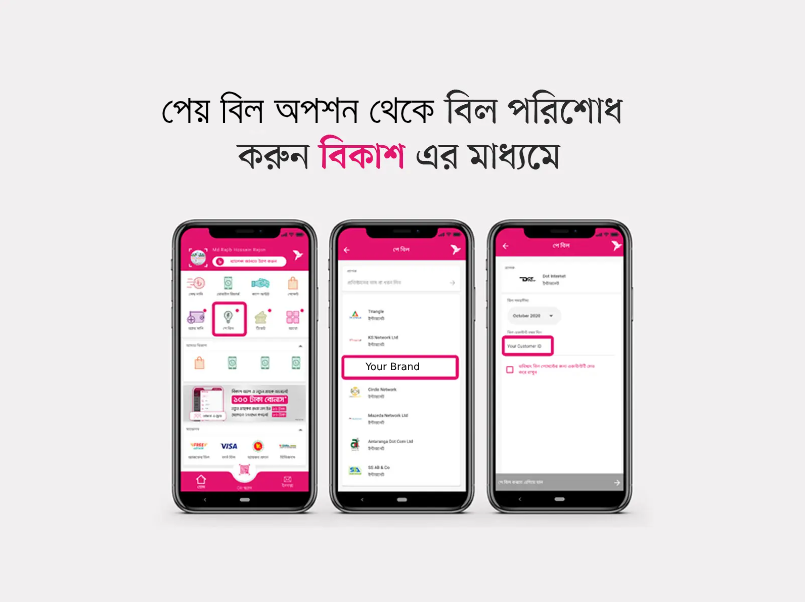
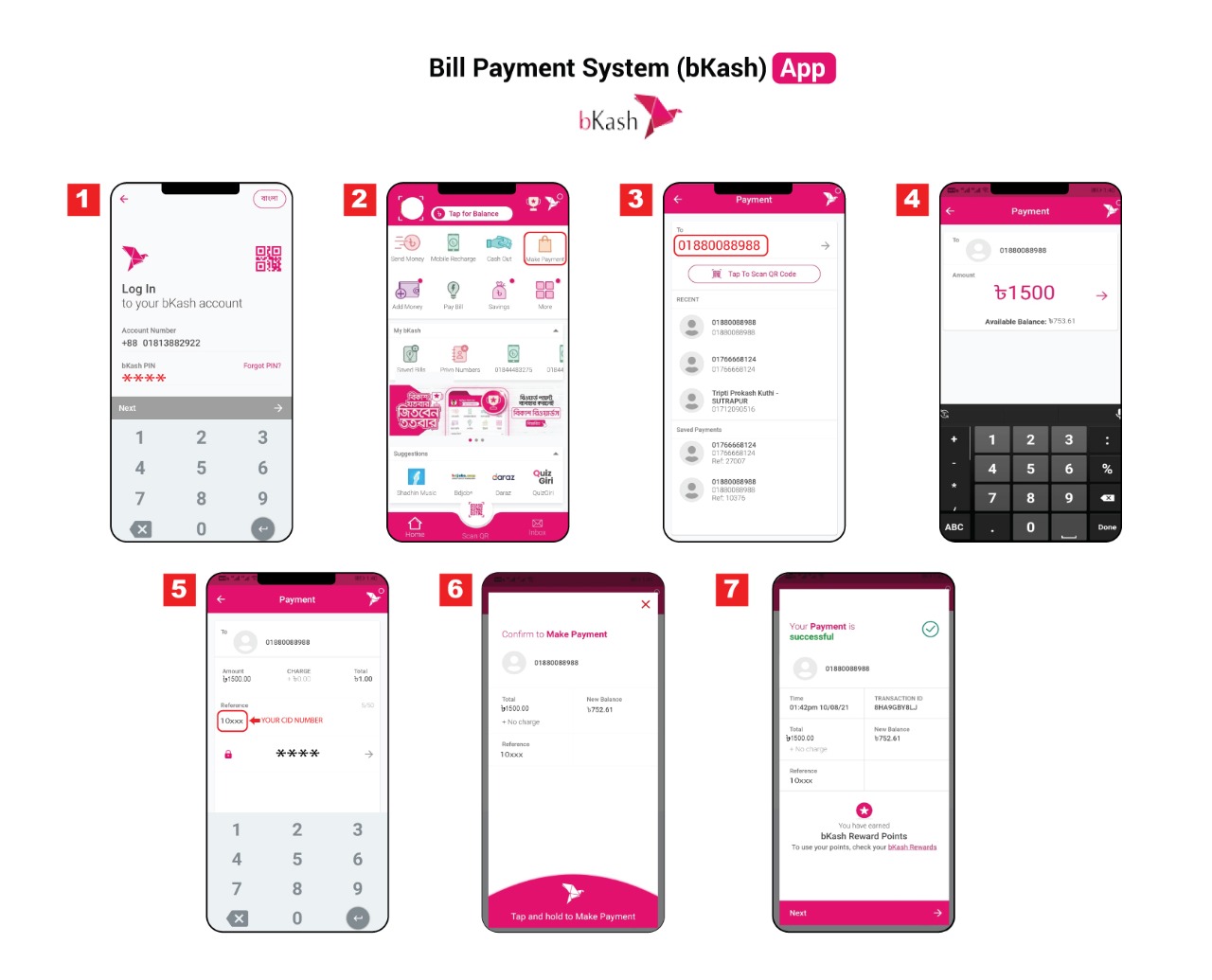
Pay Bill through
bKash
-
Login to your
bKash
account with your account's PIN
number and tap on
"পে বিল"
option.
-
In
"পে বিল" option
you'll find
"Durel Brand". Simply tap on it and
follow the next step.
-
Now select your internet billing timeline in
"বিল সময়সীমা" box &
input your customer in "বিল একাউন্ট নম্বর দিন"
box.
-
If you want to save the payment info for quick
payment, you can simple tick the checkbox
"ভবিষ্যৎ বিল পেমেন্টের জন্য একাউন্টটি সেভ করে
রাখুন".
-
After that, tap the
"পে বিল করতে এগিয়ে যান"
button & hold the pay button for a few second.
You're done!
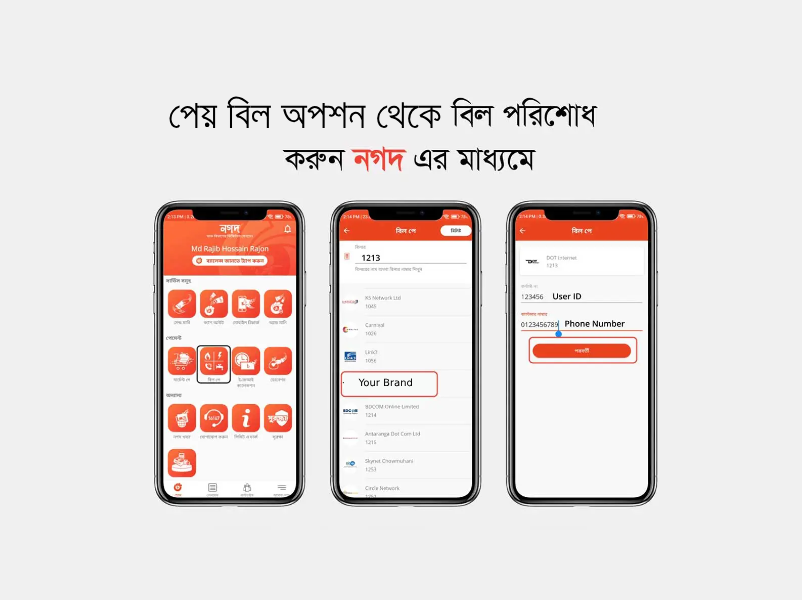
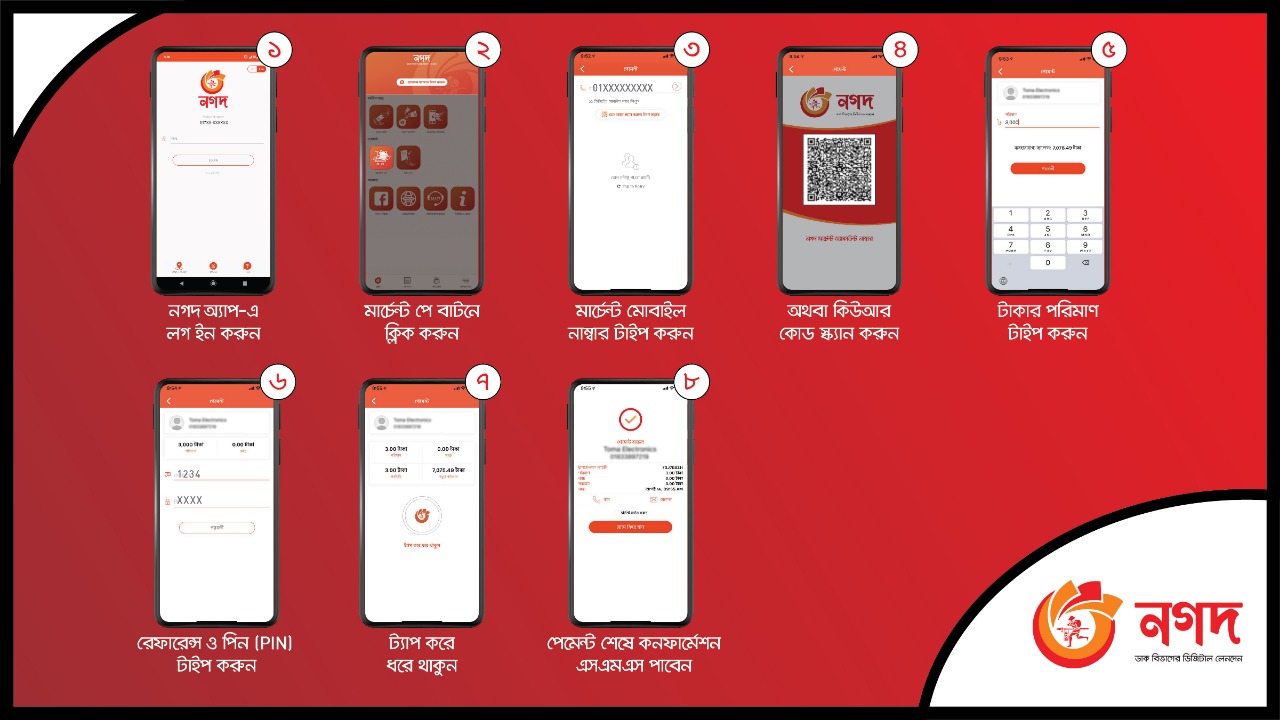
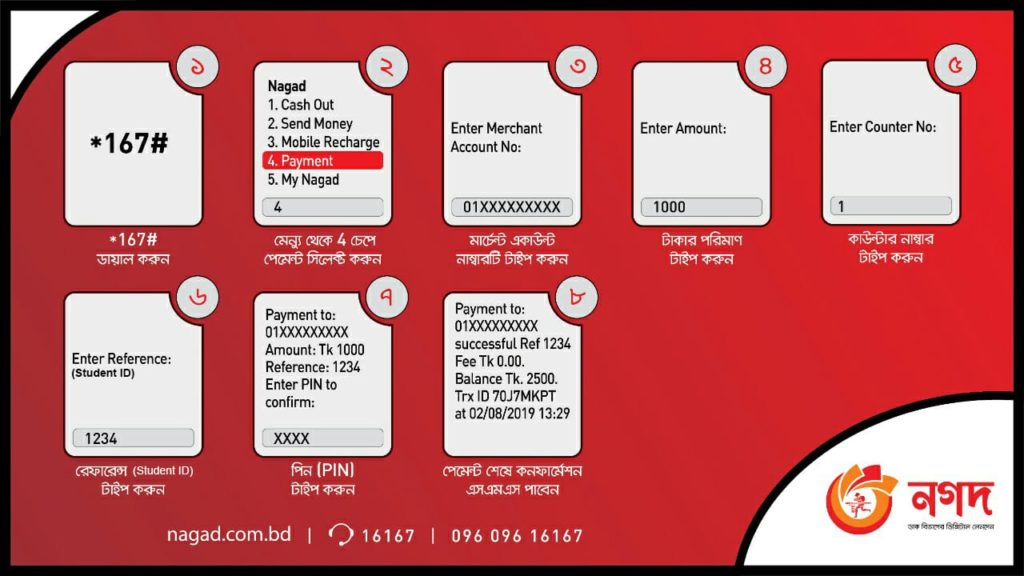
Pay Bill through
Nagad
-
Login to your
Nagad
account with your account's PIN
number and tap on
"পে বিল"
option.
-
In
"পে বিল" option
you'll find
"Durel Brand". Simply tap on it and
follow the next step.
-
Now select your internet billing timeline in
"বিল সময়সীমা" box &
input your customer in "বিল একাউন্ট নম্বর দিন"
box.
-
If you want to save the payment info for quick
payment, you can simple tick the checkbox
"ভবিষ্যৎ বিল পেমেন্টের জন্য একাউন্টটি সেভ করে
রাখুন".
-
After that, tap the
"পে বিল করতে এগিয়ে যান"
button & hold the pay button for a few second.
You're done!
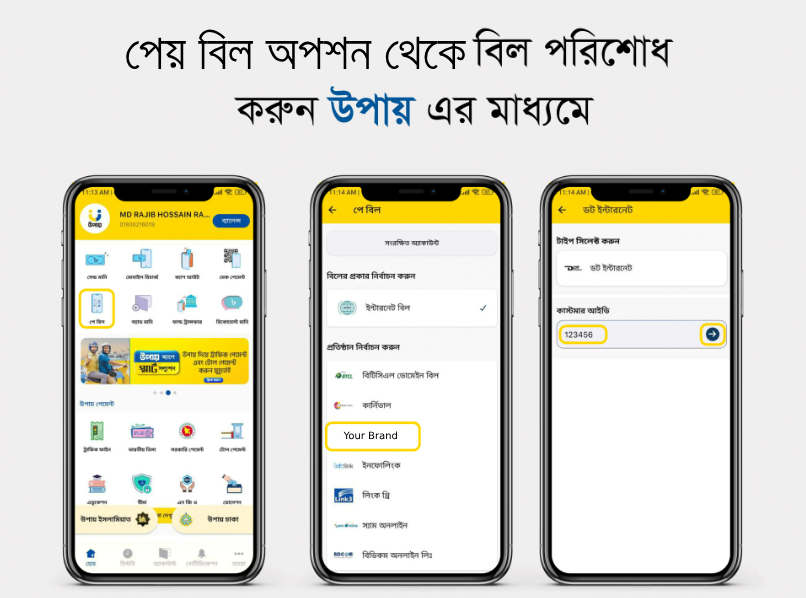
Pay Bill through
Upay
-
Login to your
Upay
account with your account's PIN
number and tap on
"পে বিল"
option.
-
In
"পে বিল" option
you'll find
"Durel Brand". Simply tap on it and
follow the next step.
-
Now select your internet billing timeline in
"বিল সময়সীমা" box &
input your customer in "বিল একাউন্ট নম্বর দিন"
box.
-
If you want to save the payment info for quick
payment, you can simple tick the checkbox
"ভবিষ্যৎ বিল পেমেন্টের জন্য একাউন্টটি সেভ করে
রাখুন".
-
After that, tap the
"পে বিল করতে এগিয়ে যান"
button & hold the pay button for a few second.
You're done!